
准备工作
你只需要:
- 一个GitHub账号
- 一个Cloudflare账号(免费)
- 5分钟时间
第一步:获取项目代码
- 访问项目地址:
https://github.com/wangwangit/tts - 点击右上角的
Fork按钮,将项目复制到你的GitHub账号
第二步:一键部署到Cloudflare Workers
-
注册Cloudflare账号
- 访问 cloudflare.com
- 注册免费账号
-
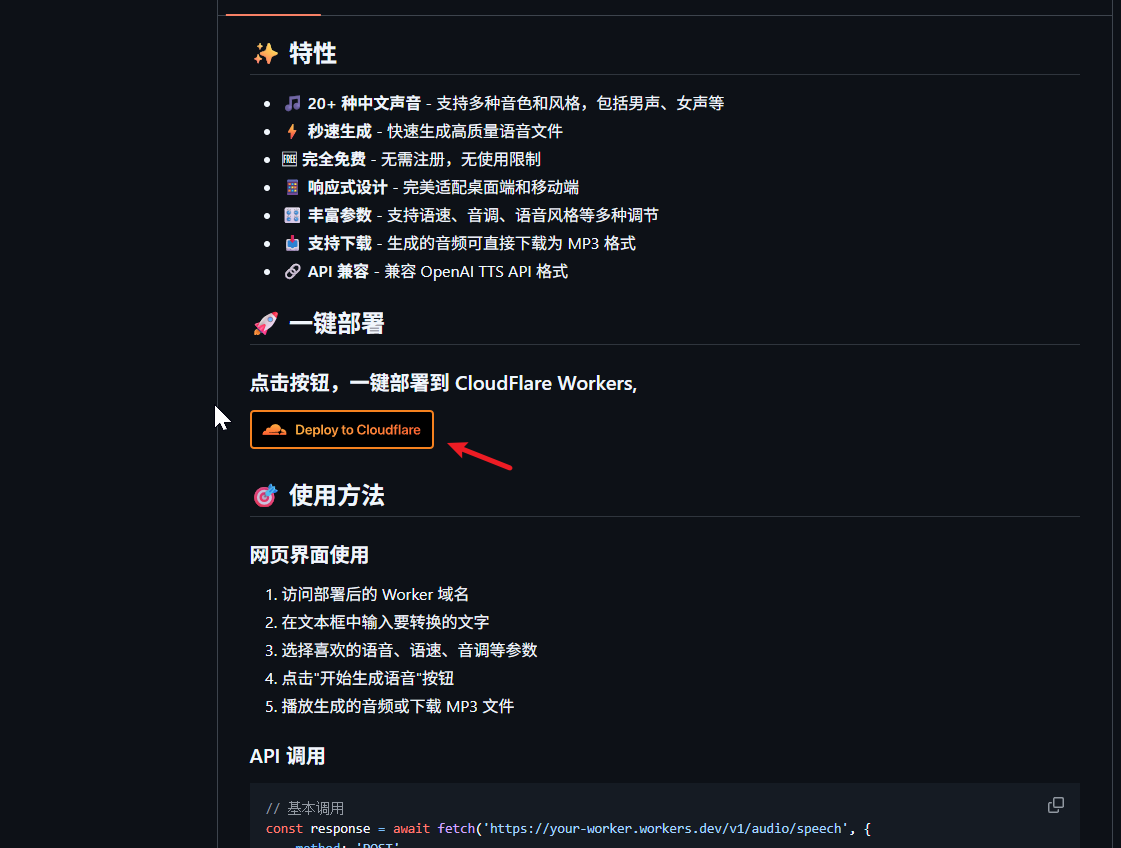
一键部署
- 点击项目中的部署按钮:
- 授权GitHub访问权限
- 选择要部署的仓库
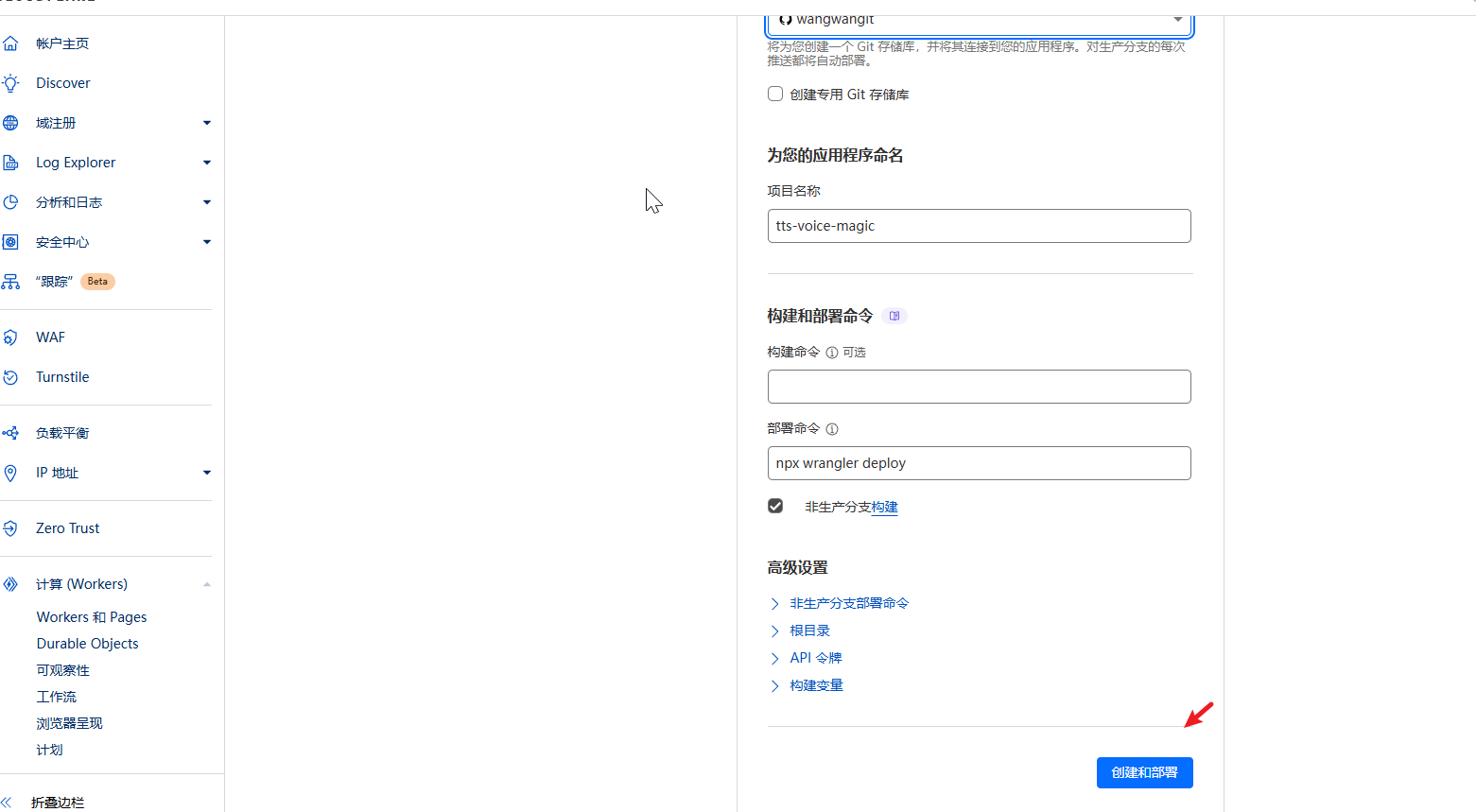
- 等待部署完成
-
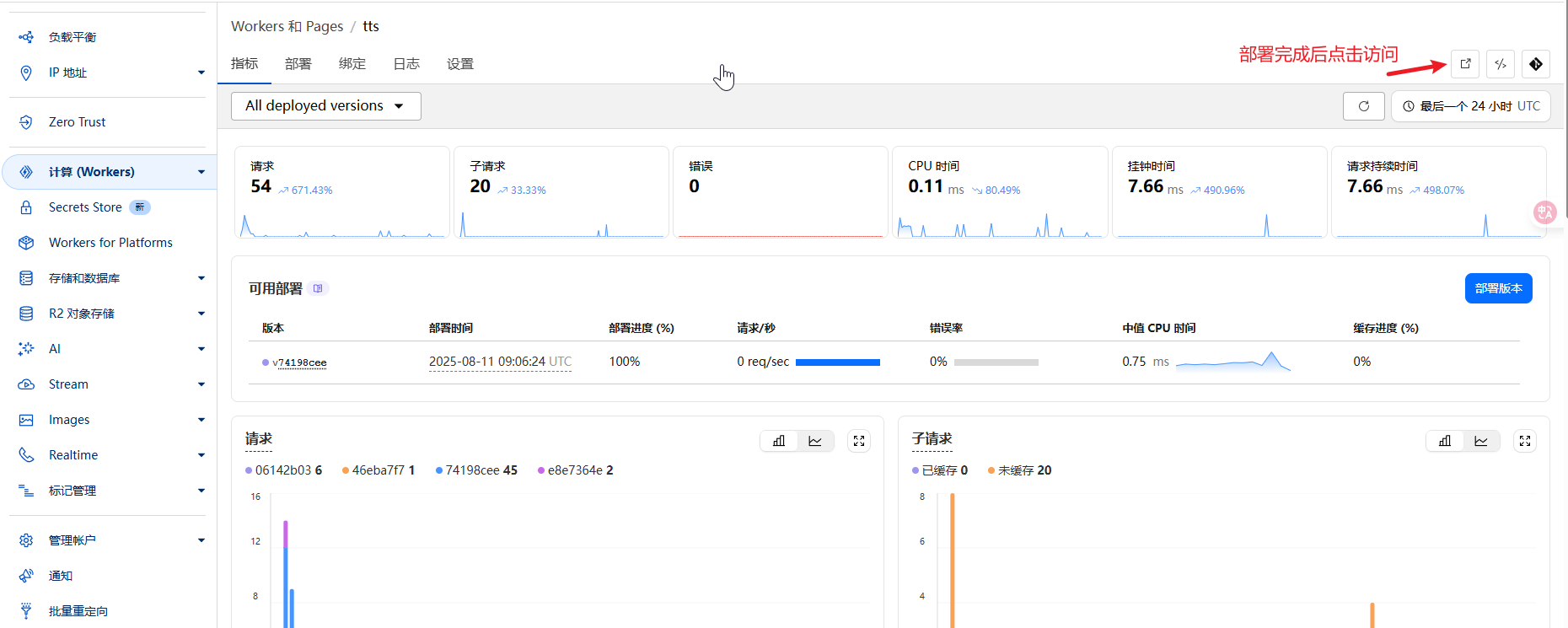
获取访问地址
- 部署成功后,你会得到一个类似
https://your-app.workers.dev的地址 - 这就是你的专属语音合成网站!
- 部署成功后,你会得到一个类似
第三步:自定义域名(可选)
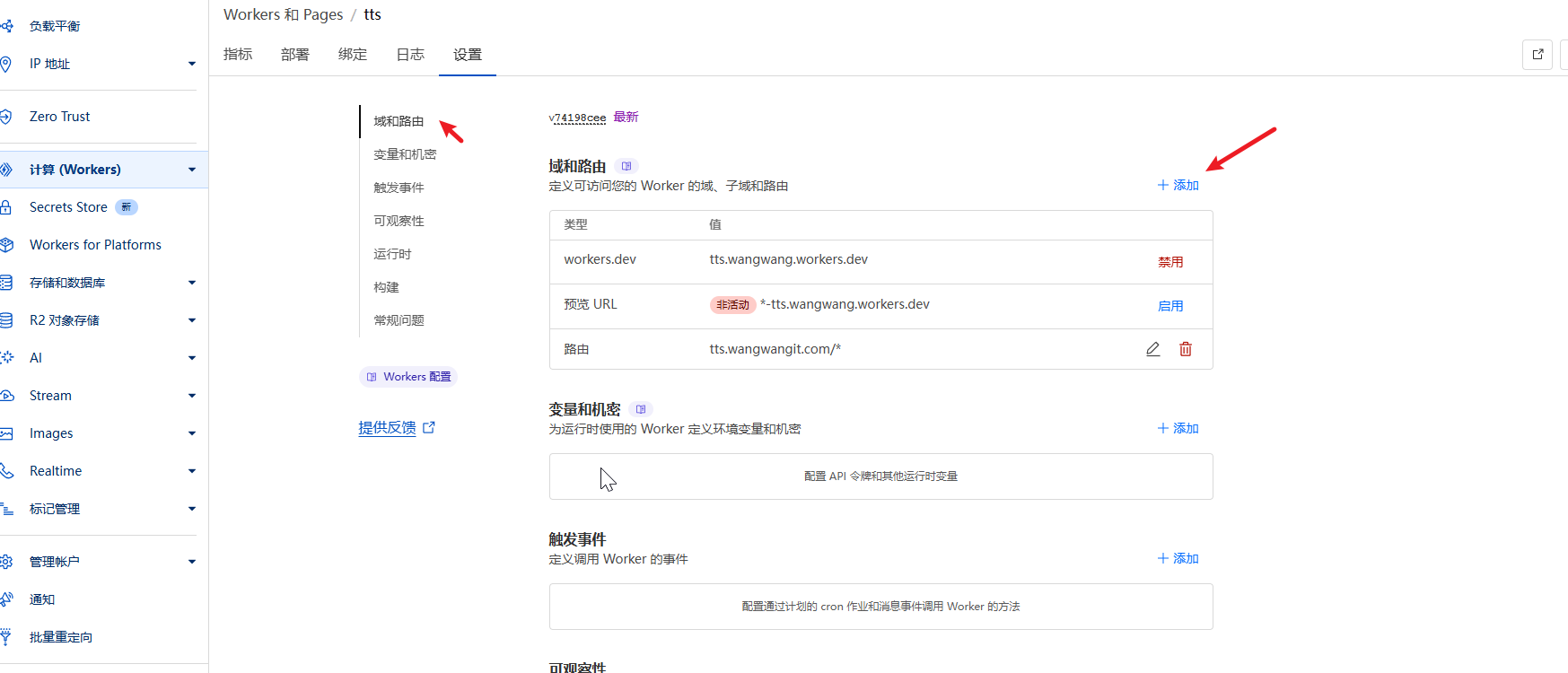
- 在Cloudflare控制台中找到你的Worker
- 添加自定义域名
- 配置DNS解析
API调用示例
// 基础调用
const response = await fetch('https://your-domain.com/v1/audio/speech', {
    method: 'POST',
    headers: {
        'Content-Type': 'application/json',
    },
    body: JSON.stringify({
        input: "你好,这是一个测试",
        voice: "zh-CN-XiaoxiaoNeural",
        speed: 1.0,
        pitch: "0",
        style: "general"
    })
});

const audioBlob = await response.blob();
批量处理脚本
# 批量转换文本文件
for file in *.txt; do
    curl -X POST "https://your-domain.com/v1/audio/speech" \
      -H "Content-Type: application/json" \
      -d "{\"input\": \"$(cat $file)\", \"voice\": \"zh-CN-XiaoxiaoNeural\"}" \
      --output "${file%.txt}.mp3"
done


有多少语音包?
@ocloud #1 edgetts这个好像没限量,语音种类可以看看edge浏览器大声朗读有多少语音.
这个真不错